> ## Documentation Index
> Fetch the complete documentation index at: https://docs.tryjunoapp.com/llms.txt
> Use this file to discover all available pages before exploring further.
# Welcome to Juno Pen
> Record a real conversation. Juno writes the notes, finds the to-dos, and follows up for you.
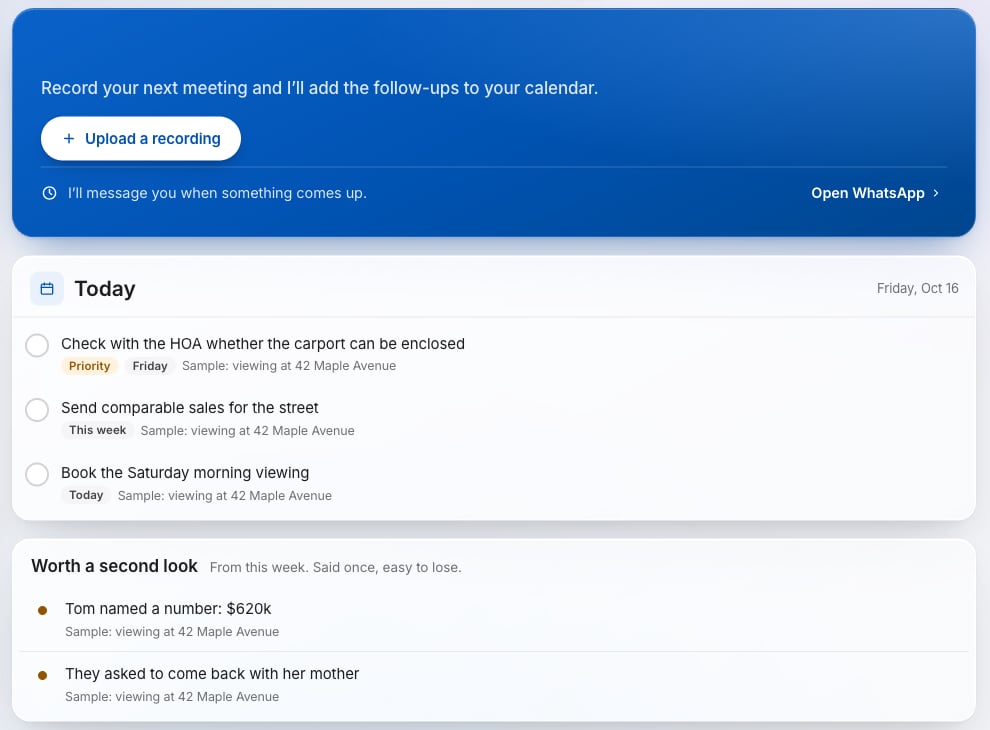
Juno Pen is a recorder pen and an app. You record a meeting, a showing, a lecture or a doctor visit. Juno turns it into a short summary, to-dos and the people who were there. Then it helps you follow up, mostly on WhatsApp, and it always asks before it acts.
You don't need the pen to use Juno. Audio from your phone, Plaud, Pocket or any recorder works too, and so do transcripts.
 ## Start here
Sign up, set up the pen and make your first recording.
Upload from the pen, your phone or your computer. Import transcripts.
What Juno writes after every conversation, and how to ask about it.
Connect in one tap. Ask anything, send recordings, get reminders.
Google Calendar, Apple and Outlook, Google Docs and Sheets, Notion.
Prices, the pen add-on, referrals, cancelling.
What we keep, when audio is deleted, and how to delete your account.
Quick answers to common questions.
## How it works
Press once on the pen, or record on your phone or any recorder.
Add the file on the website, or send it to Juno on WhatsApp.
In a few minutes you get a summary, to-dos, people and a briefing email.
Juno offers to add meetings to your calendar, set reminders and write pages. You say yes or not now.
Need a hand? Write to [hello@tryjunoapp.com](mailto:hello@tryjunoapp.com).
This documentation is built and hosted on [Mintlify](https://mintlify.com), a developer documentation platform.
## Start here
Sign up, set up the pen and make your first recording.
Upload from the pen, your phone or your computer. Import transcripts.
What Juno writes after every conversation, and how to ask about it.
Connect in one tap. Ask anything, send recordings, get reminders.
Google Calendar, Apple and Outlook, Google Docs and Sheets, Notion.
Prices, the pen add-on, referrals, cancelling.
What we keep, when audio is deleted, and how to delete your account.
Quick answers to common questions.
## How it works
Press once on the pen, or record on your phone or any recorder.
Add the file on the website, or send it to Juno on WhatsApp.
In a few minutes you get a summary, to-dos, people and a briefing email.
Juno offers to add meetings to your calendar, set reminders and write pages. You say yes or not now.
Need a hand? Write to [hello@tryjunoapp.com](mailto:hello@tryjunoapp.com).
This documentation is built and hosted on [Mintlify](https://mintlify.com), a developer documentation platform.